


Page 12 - CBS Primary ICT Teacher Guide - 2026
P. 12
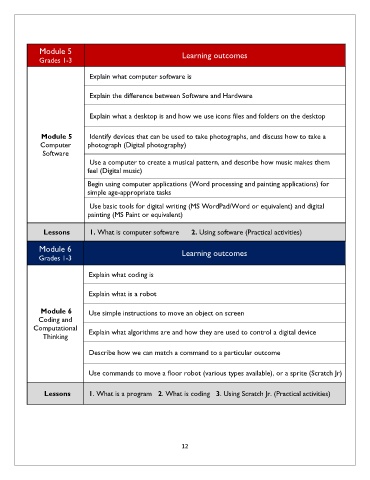
Module 5                                       Learning outcomes
              Grades 1-3


                               Explain what computer software is


                               Explain the difference between Software and Hardware


                               Explain what a desktop is and how we use icons files and folders on the desktop


               Module 5                Identify devices that can be used to take photographs, and discuss how to take a

              Computer        photograph (Digital photography)
               Software
                               Use a computer to create a musical pattern, and describe how music makes them
                              feel (Digital music)

                              Begin using computer applications (Word processing and painting applications) for
                              simple age-appropriate tasks

                               Use basic tools for digital writing (MS WordPad/Word or equivalent) and digital
                              painting (MS Paint or equivalent)


                Lessons        1. What is computer software      2. Using software (Practical activities)

              Module 6                                       Learning outcomes
              Grades 1-3


                               Explain what coding is


                               Explain what is a robot

               Module 6
                               Use simple instructions to move an object on screen
              Coding and
            Computational      Explain what algorithms are and how they are used to control a digital device
               Thinking


                               Describe how we can match a command to a particular outcome


                               Use commands to move a floor robot (various types available), or a sprite (Scratch Jr)


                Lessons        1. What is a program   2. What is coding   3. Using Scratch Jr. (Practical activities)


                                                             12

