


Page 30 - CBS Primary ICT Teacher Guide - 2026
P. 30
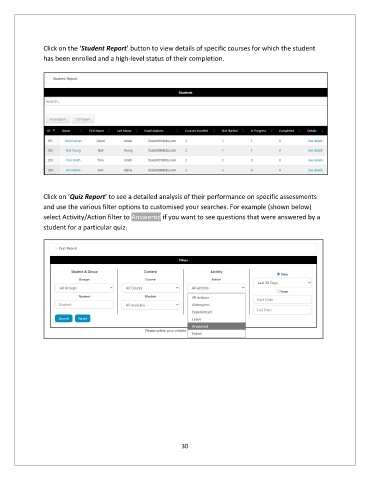
Click on the ‘Student Report’ button to view details of specific courses for which the student
               has been enrolled and a high-level status of their completion.


               Click on ‘Quiz Report’ to see a detailed analysis of their performance on specific assessments
               and use the various filter options to customised your searches. For example (shown below)
               select Activity/Action filter to Answered if you want to see questions that were answered by a
               student for a particular quiz.


                                                             30

